LINE CRM
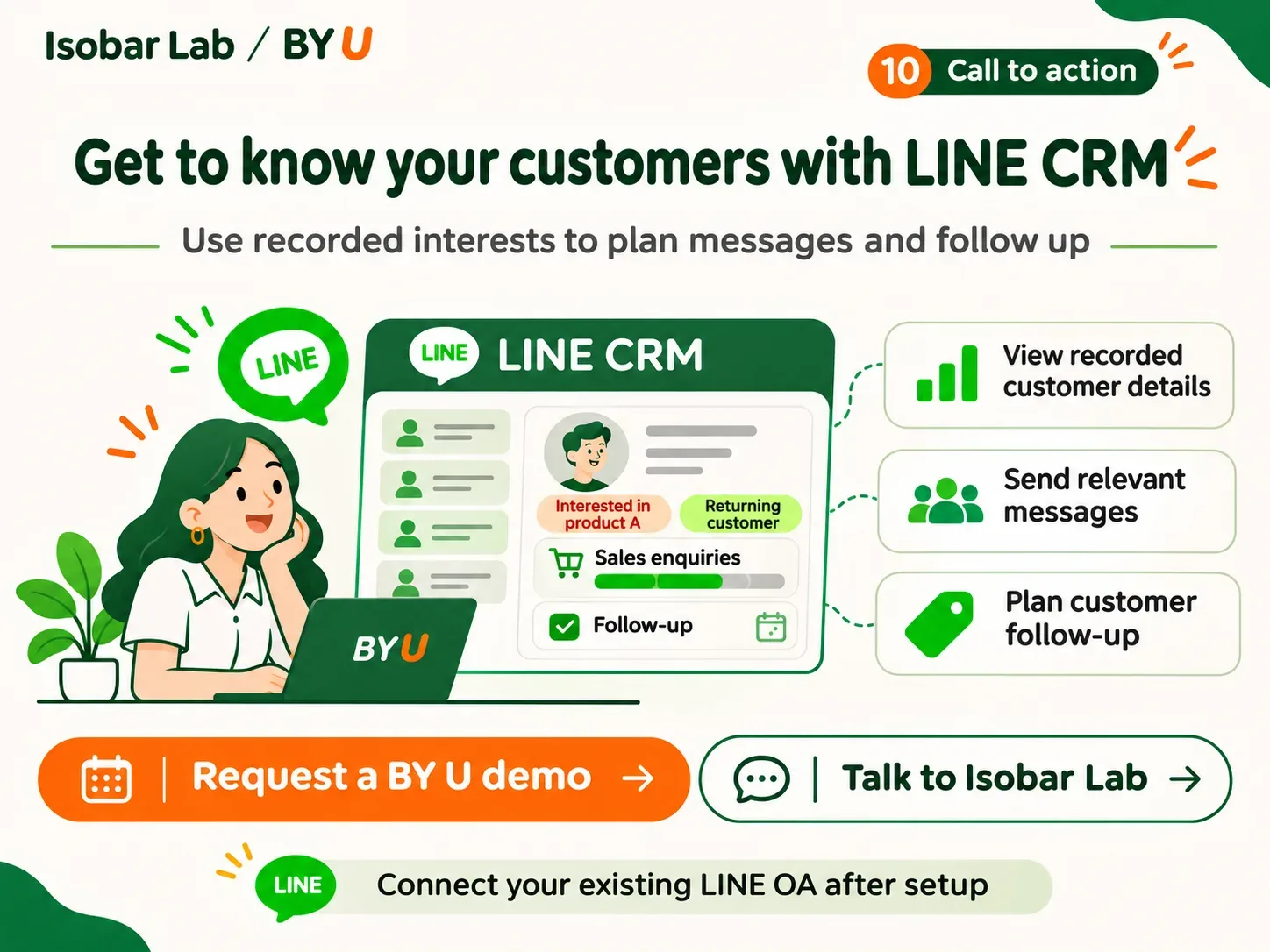
Manage customer data through LINE OA with BY U LINE CRM. Record interests, build segments, send targeted messages and plan follow-up with Isobar Lab.
As more people add your LINE Official Account, can your team still tell who is interested in which product, who has requested a quote and who is waiting for a call back?
BY U LINE CRM helps you store customer information received through LINE OA, record interests with Customer Tags, build customer segments and send relevant messages to each group. Workflow tools support tasks that the platform can automate.
Isobar Lab helps you plan and configure LINE CRM around the way your sales, marketing and customer service teams work.
01 / The challenge
More followers but no clear view of who to contact next
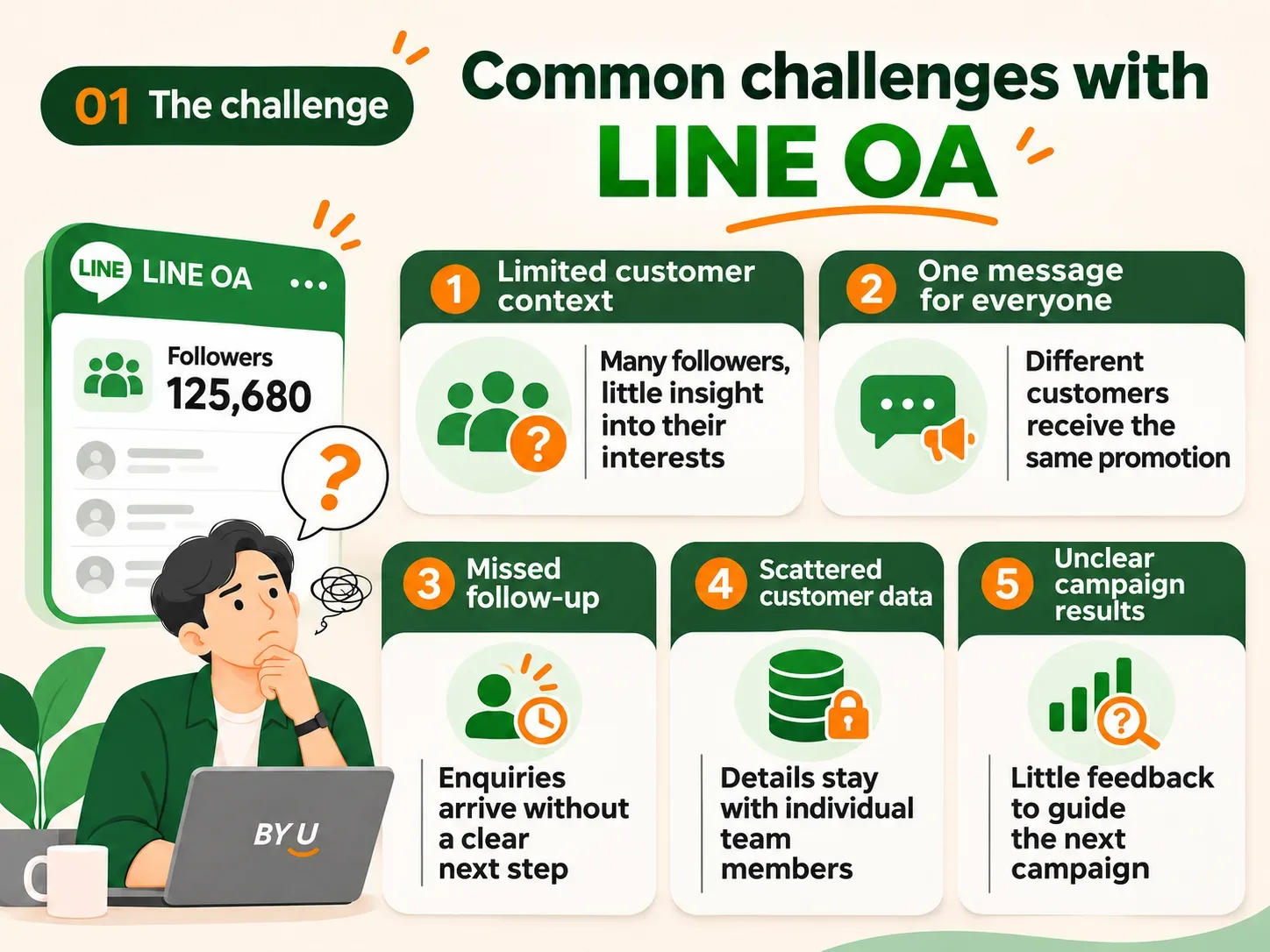
Suppose your business has 20,000 LINE OA followers and is about to launch a new product.
Your marketing team sends the same promotion to everyone. Some followers are interested in a different product, some have just bought from you, and others are still waiting for the sales team to get back to them.
- 01
Limited customer context
Without organised records and customer segments, it is hard to tell which products, services or offers each follower is interested in.
- 02
The same message for everyone
Customers with different interests receive the same promotion, even when it has little relevance to them.
- 03
Enquiries without a next step
Customers ask about prices, request information or arrange appointments, but the team does not record what needs to happen next.
- 04
Customer information stays with individuals
Without a shared record, the person taking over may not know what was discussed or what the customer is waiting for.
- 05
Campaigns are difficult to assess
Without response data, it is harder to decide whether to change the message, the audience or both.
02 / How BY U LINE CRM helps
Use the information customers share to plan messages and follow-up
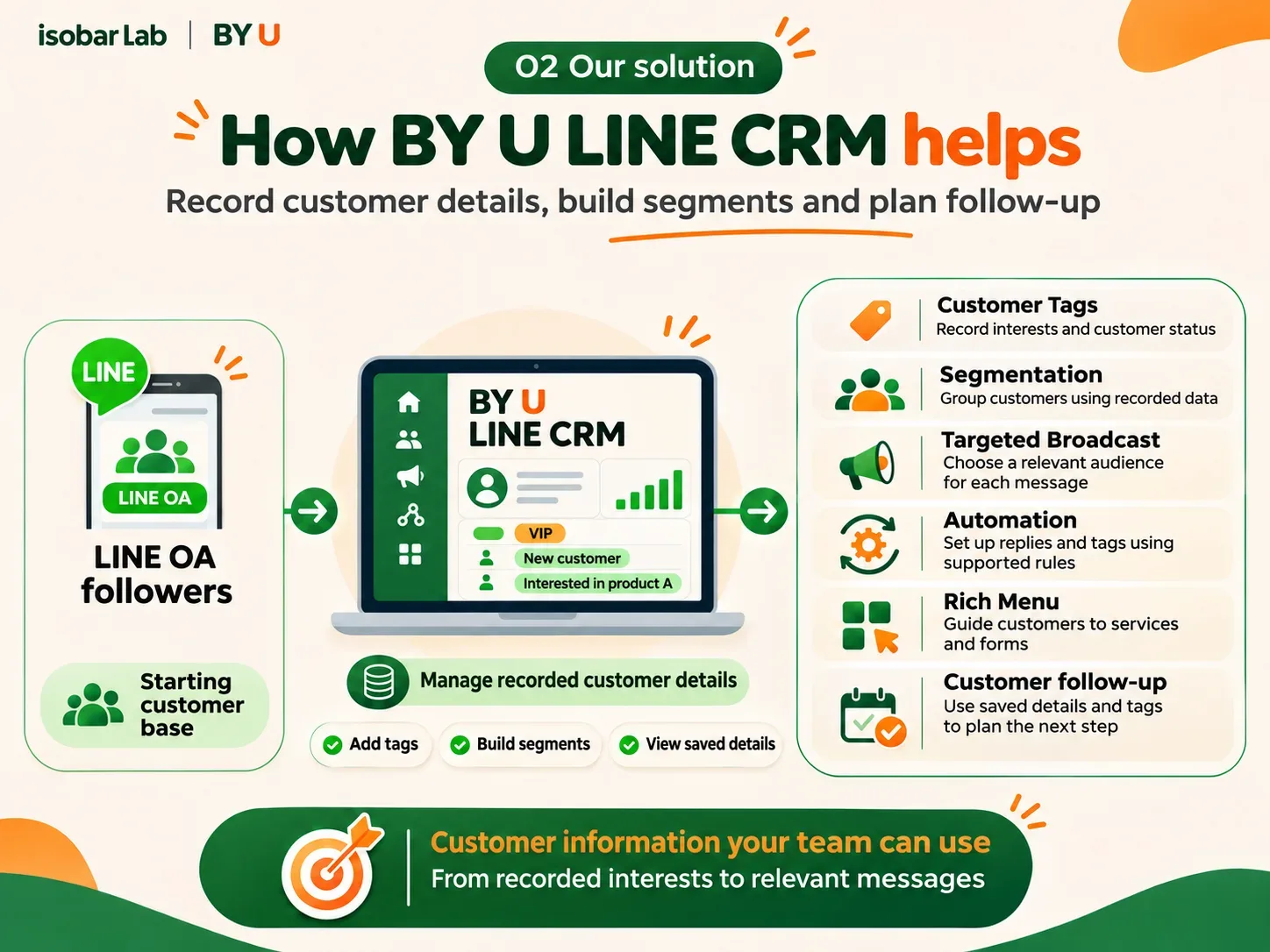
BY U LINE CRM gives your team a place to record customer details and interests, then use that information to build segments, send messages and plan follow-up.
Set Customer Tags and segmentation rules using recorded information to select an audience for each campaign.
For example, a car dealership could create separate groups for people interested in buying a car, selling a car or booking a test drive, then tailor its messages and follow-up steps to each group.
Rich Menu, Flex Message, Imagemap and LIFF can also guide customers to services, forms and other steps in the process you have set up.
03 / Key features
Tools for recording customer information and choosing who to contact
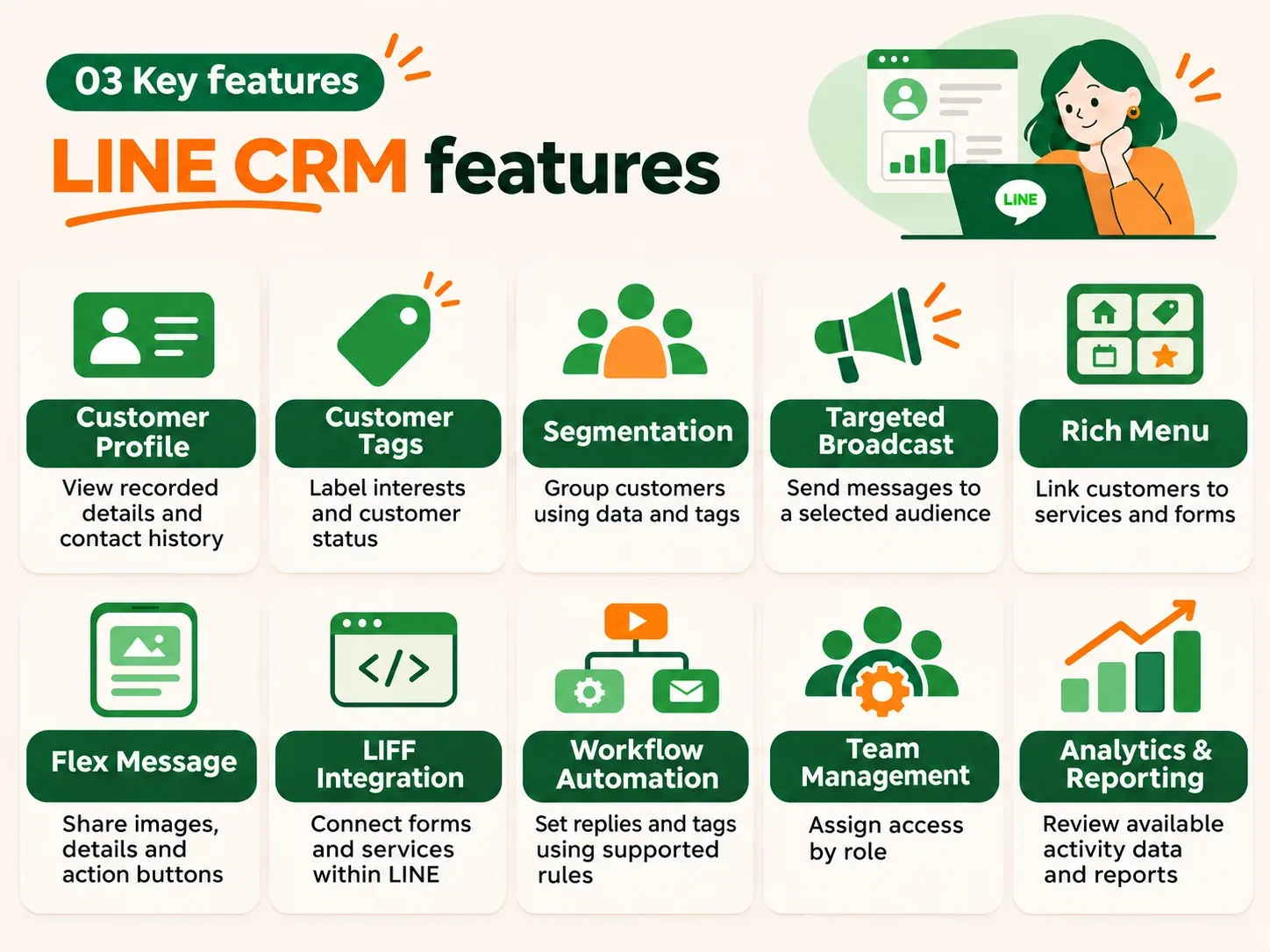
- 01
Customer Profile
View and store information received by the system or recorded by your team, such as names, contact details, interests and activity history.
- 02
Customer Tags
Label customer interests and status with tags such as Interested in SUVs, Quote requested, Awaiting test drive or Previous customer. Use these tags to organise groups and support follow-up.
- 03
Customer Segmentation
Group customers using recorded information and defined criteria to select campaign audiences and plan follow-up.
- 04
Targeted Broadcast
Choose an audience and prepare a relevant message for that group, rather than sending the same message to everyone.
- 05
Rich Menu and Imagemap
Create menus and clickable images that take customers to products, services, forms or other steps you want them to complete.
- 06
Flex Message
Present images, product details and action buttons in a card format, with options such as View product, Contact sales or Request an appointment.
- 07
LIFF Integration
Use the LINE Front-end Framework (LIFF) for forms and services within LINE, such as registration, appointment booking or collecting customer interests. Availability depends on the development scope and configuration.
- 08
Workflow and Marketing Automation
Set up supported automated tasks, such as keyword-based replies, tag management and workflow actions, to reduce repetitive work.
- 09
Team and Role Management
Give sales, marketing and system administrators access according to their assigned roles.
- 10
Analytics and Reporting
Review the activity data and reports available in the system to assess campaigns and refine customer follow-up.
04 / How it works
From collecting information to follow-up in five steps
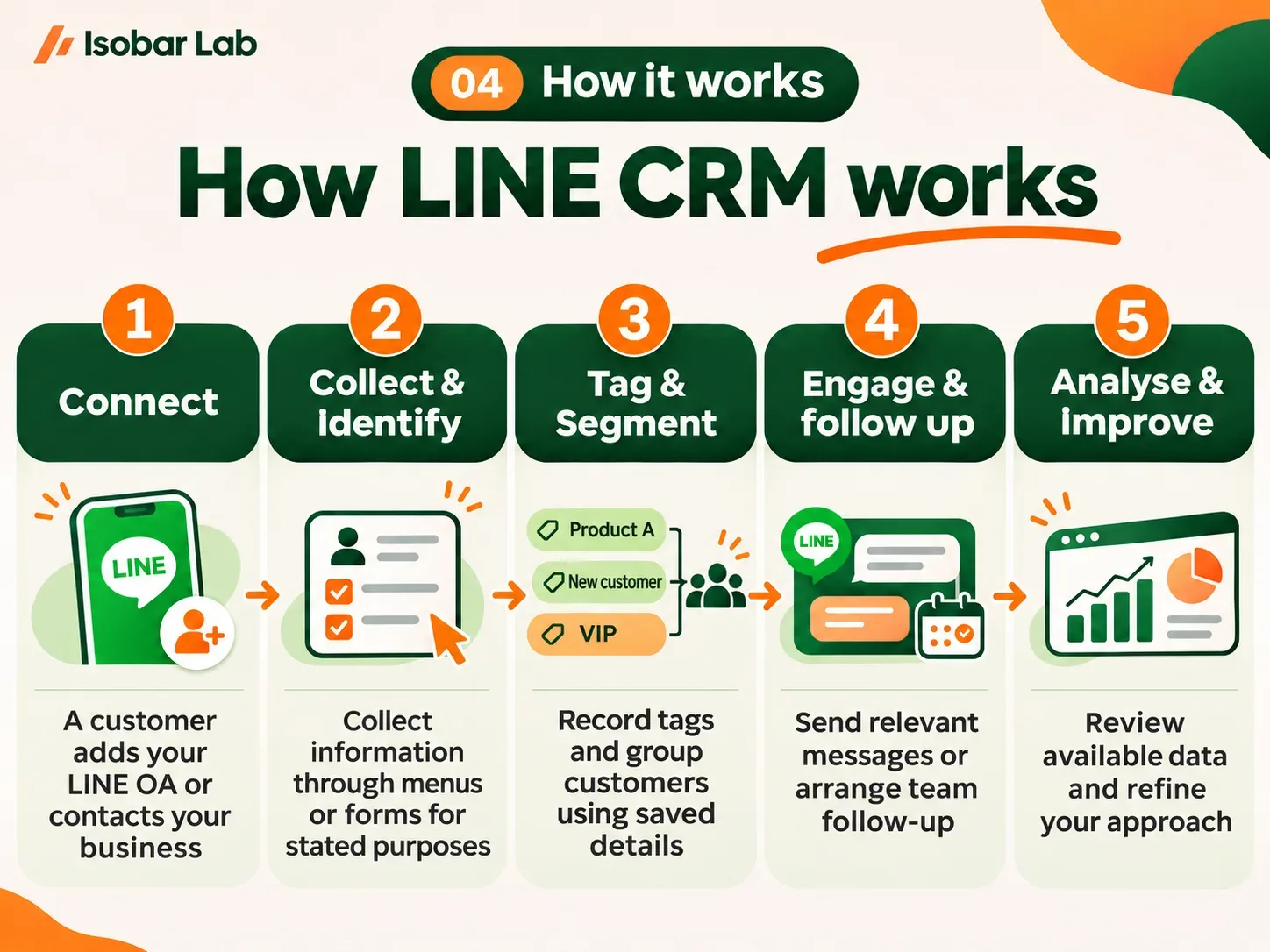
- 01
Connect
A customer adds your LINE OA or contacts your business through a designated channel.
- 02
Collect and identify
The customer selects interests through a Rich Menu, sends a message or completes a form. Explain why the information is being collected and handle personal data in line with applicable requirements.
- 03
Tag and segment
The system or a team member records tags and groups customers using the information or rules you have defined.
- 04
Engage and follow up
Send information relevant to the customer’s interests or have your team follow up through the agreed workflow.
- 05
Analyse and improve
Review the operational data available in the system and use it to refine future communication.
05 / Business use cases
Put recorded customer interests to work
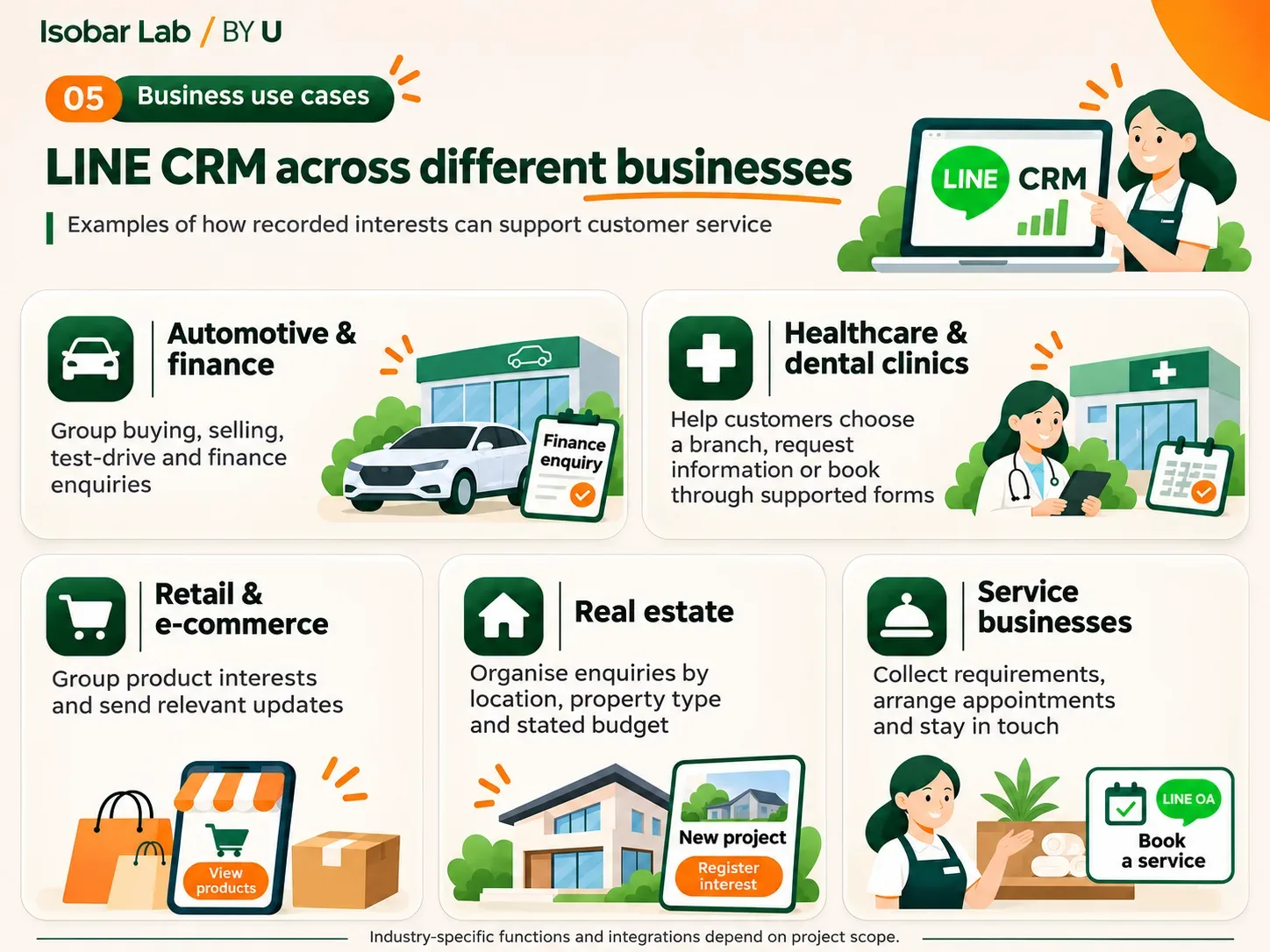
- 01
Automotive and vehicle finance
Separate enquiries about buying, selling, test drives or finance, then pass them to the relevant team.
- 02
Healthcare and dental clinics
Let customers select a branch, request service information or book an appointment through supported menus and custom forms. Any use of health information requires appropriate safeguards.
- 03
Retail and e-commerce
Group customers by the product categories they are interested in, then send relevant product updates, promotions and event information.
- 04
Real estate
Group enquiries by the location, property type or budget customers have shared to help sales teams plan relevant follow-up.
- 05
Service businesses
Collect service requirements, arrange appointments and keep in touch with customers through LINE CRM.
These examples require a setup that fits each business. Industry-specific functions and additional integrations depend on the agreed project scope.
06 / Business benefits
Give your team shared information and a clearer basis for follow-up
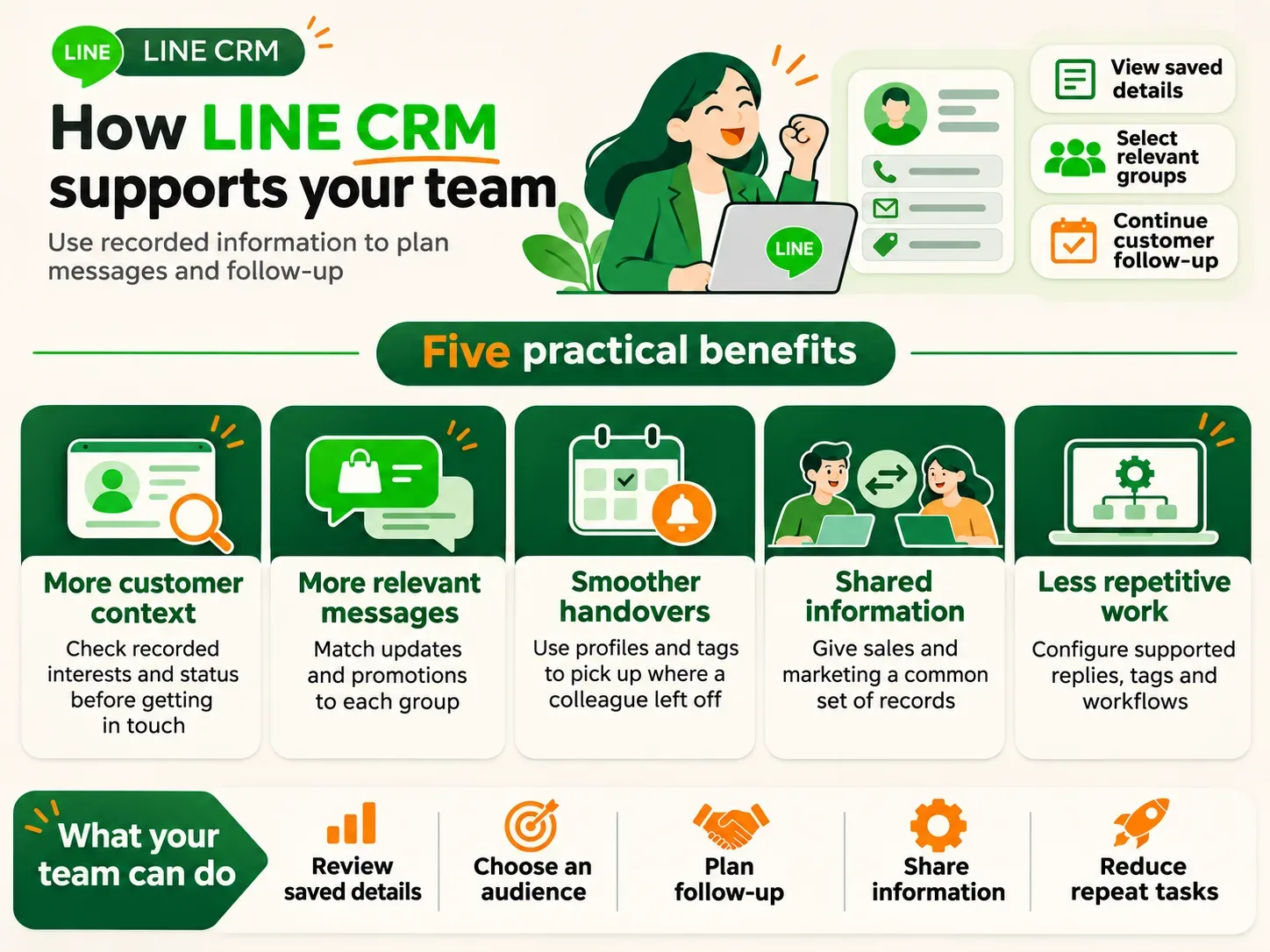
- 01
More context before making contact
Check recorded interests and customer status before getting back in touch.
- 02
Fewer irrelevant messages
Send updates and promotions to groups whose recorded interests match the content.
- 03
Smoother handovers
The person taking over can use profiles and tags to continue the conversation, without relying on a colleague’s memory.
- 04
Shared information across teams
Sales and marketing can use the same records to plan campaigns and customer follow-up.
- 05
Less repetitive work
Configure supported workflows, such as keyword-based replies and tag management.
Assess results after implementation using measures such as enquiries, campaign response rates and cases followed up. Choose metrics that your system and integrations can track.
07 / Powered by BY U
Browser access with cloud infrastructure managed by the provider
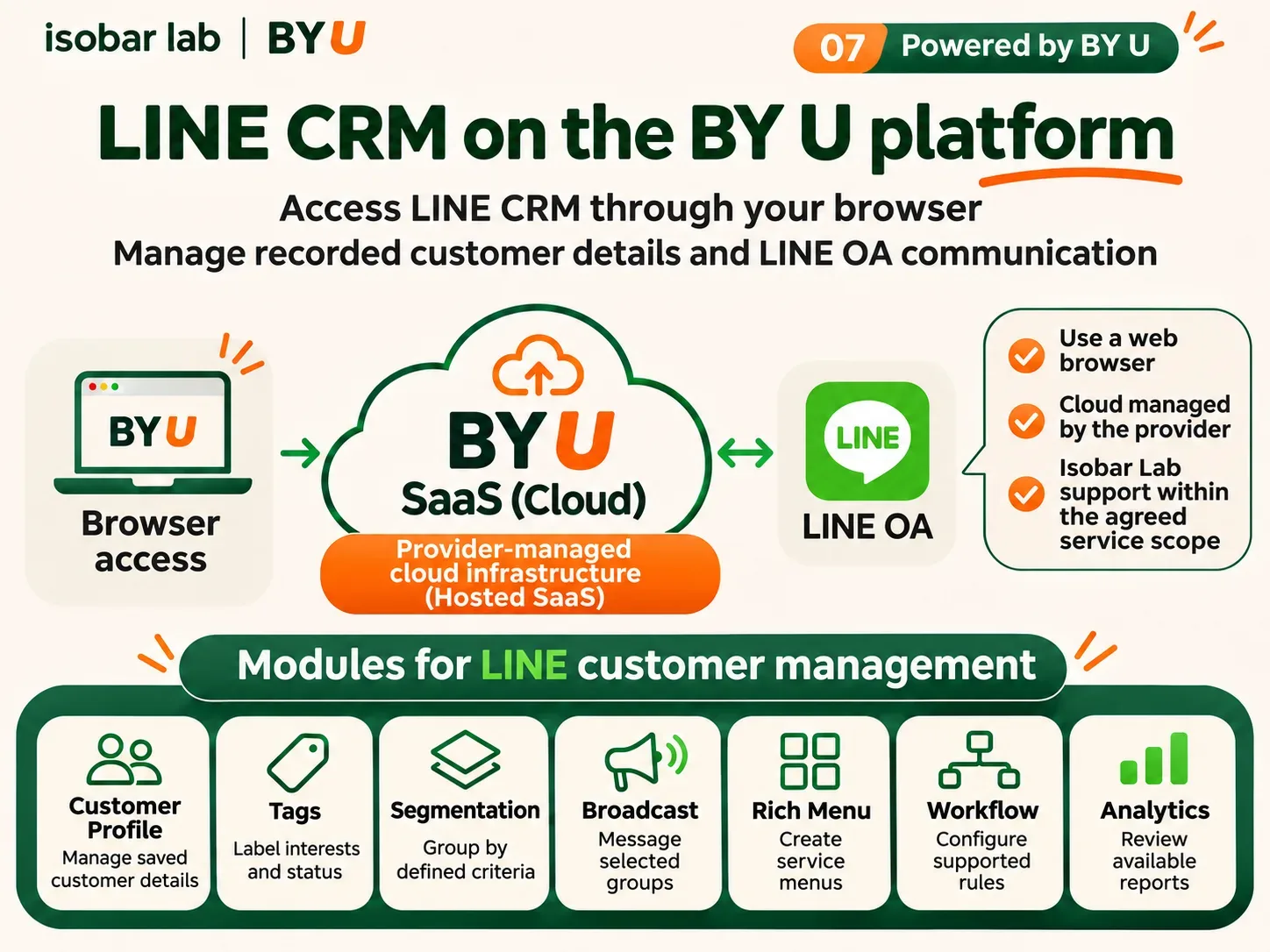
BY U is a hosted Software as a Service (SaaS) platform accessed through a web browser. The standard service does not require installation on your organisation’s servers.
Connect your existing LINE OA and configure Customer Profile, Tags, Segmentation, Rich Menu, Broadcast and Workflow to suit your needs and available permissions.
Isobar Lab helps with solution design, system configuration and ongoing assistance within the agreed service scope.
LINE OA messaging charges and fees for other external services follow the terms of the relevant provider and the plan you choose.
08 / Related solutions
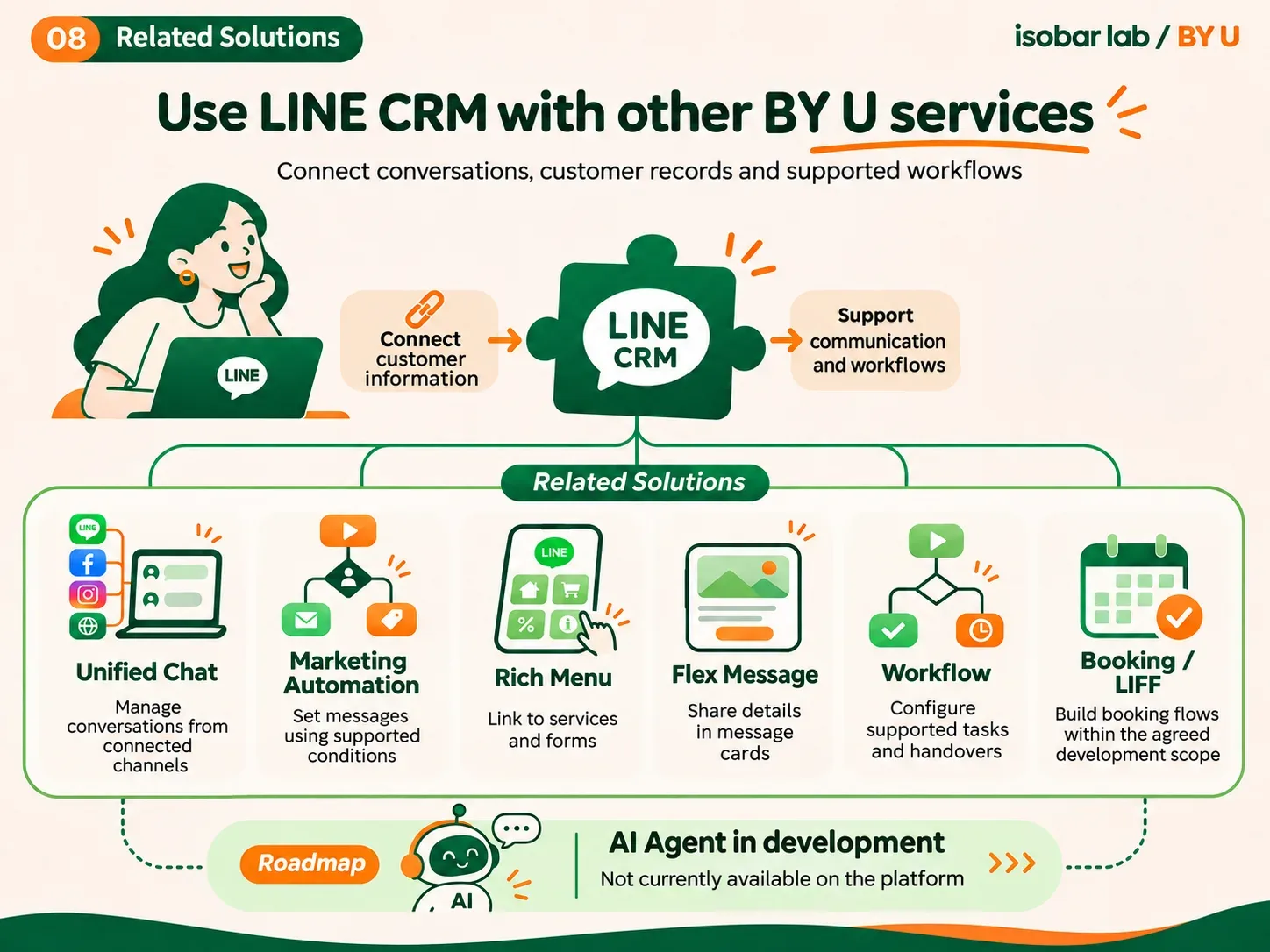
How does it connect with other services?
- 01
Unified Chat
Bring conversations from LINE OA, Facebook Messenger, Instagram and Web Chat into BY U, alongside CRM tools for managing the related customer information.
- 02
Marketing Automation
Configure workflows and messages using conditions supported by the system.
- 03
AI Agent
In development and not currently available on the platform. Planned capabilities include answers based on a Knowledge Base and handoff to a team member.
09 / Frequently asked questions
About BY U LINE CRM
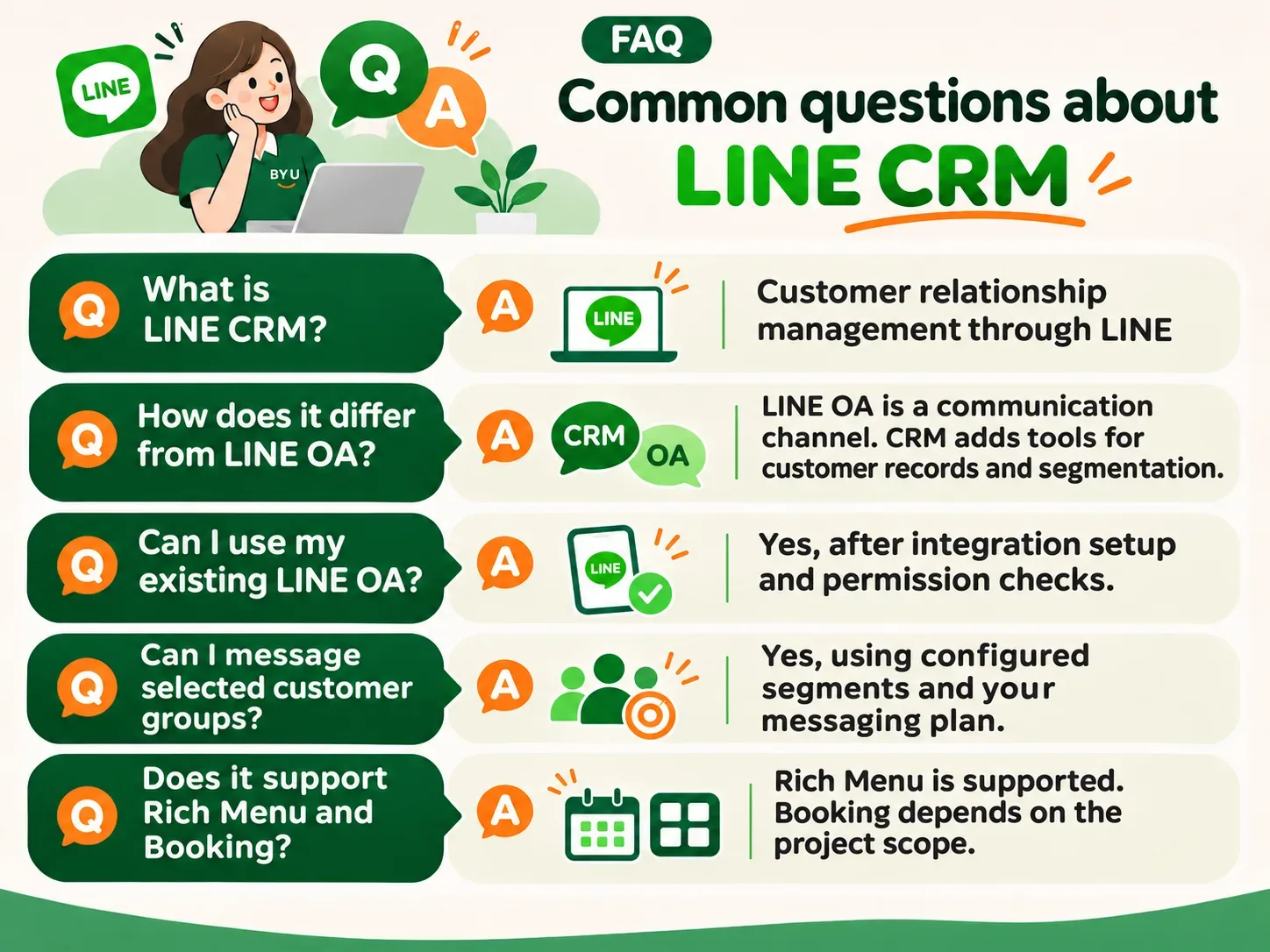
What is LINE CRM?
LINE CRM is a customer relationship management system that works with LINE Official Account to store customer information, group people by their interests and plan communication.
How is LINE CRM different from LINE OA?
LINE OA is a channel for communicating with followers. A connected LINE CRM system adds tools for managing customer records, applying tags, building segments and setting up communication workflows.
Can I use BY U with an existing LINE OA?
Yes. You can connect your existing LINE OA after completing the integration setup. The person carrying out the setup needs the relevant account management permissions.
Can I send promotions to specific customer groups?
Yes. BY U supports segmentation and Broadcast based on configured criteria. Messaging remains subject to LINE’s requirements and your messaging plan.
Does BY U LINE CRM support Rich Menu and Flex Message?
Yes. BY U includes tools for managing Rich Menu, Imagemap and Flex Message for communication through LINE OA.
Can LINE CRM work with an appointment booking system?
A solution can be designed using supported Booking and LIFF functions. The booking process and integrations depend on the development scope of each project.
Does adding a customer on LINE OA give us access to all their details?
No. Access depends on the information the user provides, integration permissions and authorisation, LINE’s requirements and applicable personal data protection laws.
Is LINE CRM suitable for small businesses or larger organisations?
It can be adapted for both. Choose a plan and process based on the number of users, channels and complexity of the work.
10 / Get started
See how BY U LINE CRM fits your team