
AI Chat 24/7
Explore AI Chat 24/7, in development on BY U. Plan answers from approved company information, answer guardrails and human handoff with Isobar Lab.
Customers ask about prices, applications and opening hours at any time. Sales and service teams have working hours, so even a straightforward question can go unanswered until the next day.
Isobar Lab is developing AI Chat 24/7 on the BY U platform to help answer questions using a knowledge base approved by your organisation. Our approach is to keep answers within an agreed scope, flag gaps in the available information and hand over cases that need a person to review them.
We are focusing on recurring questions with clear reference information. Individual cases, important decisions and conversations that need a closer understanding of the customer remain the team’s responsibility.
AI Chat 24/7 is in development and is not yet available. Capabilities and release timing depend on product readiness and project scope. The name 24/7 describes the goal of automated replies outside working hours; it is not an uptime guarantee or a promise of round-the-clock human support.
01 / When customers message after hours
Even straightforward questions can leave customers waiting
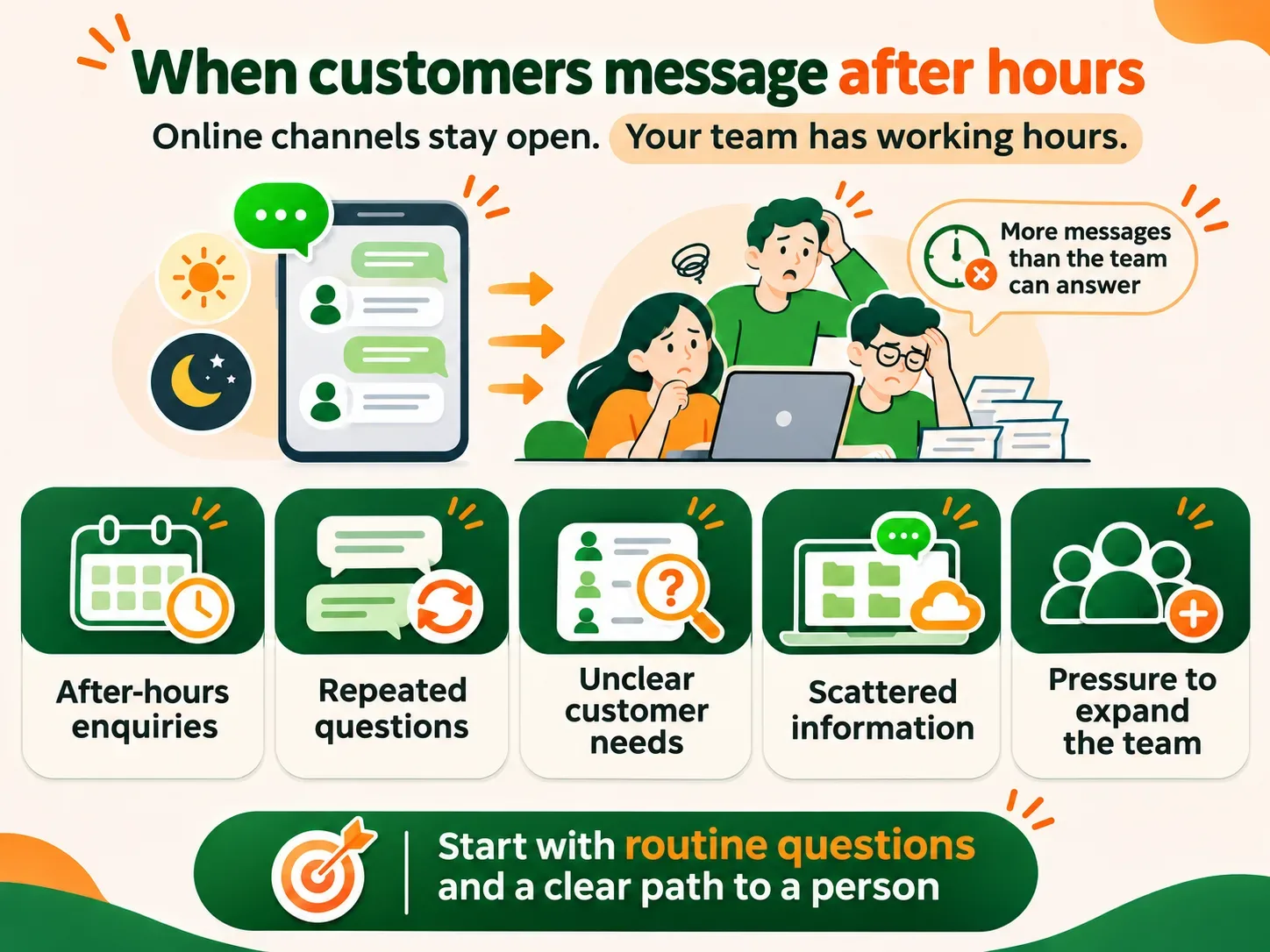
A customer messages your LINE OA at 10 pm to ask which documents they need for a service. If the team cannot reply until morning, the conversation stops there, even when the answer is already in a service guide.
- 01
After-hours enquiries
Customers can send messages at any time, while your team has defined working hours.
- 02
The same questions every day
Prices, application steps and basic service details take up staff time.
- 03
Requests that need sorting
Someone has to establish whether a customer wants information, an appointment or help with a problem.
- 04
Information in different places
Some answers require checking several documents or asking another team.
- 05
More messages to handle
Expanding the team has a cost, so it helps to identify where a system could assist.
Start with questions that have clear answers, then define which cases need a person to take over.
02 / The plan for AI Chat 24/7
Use approved information and be clear when it is not enough
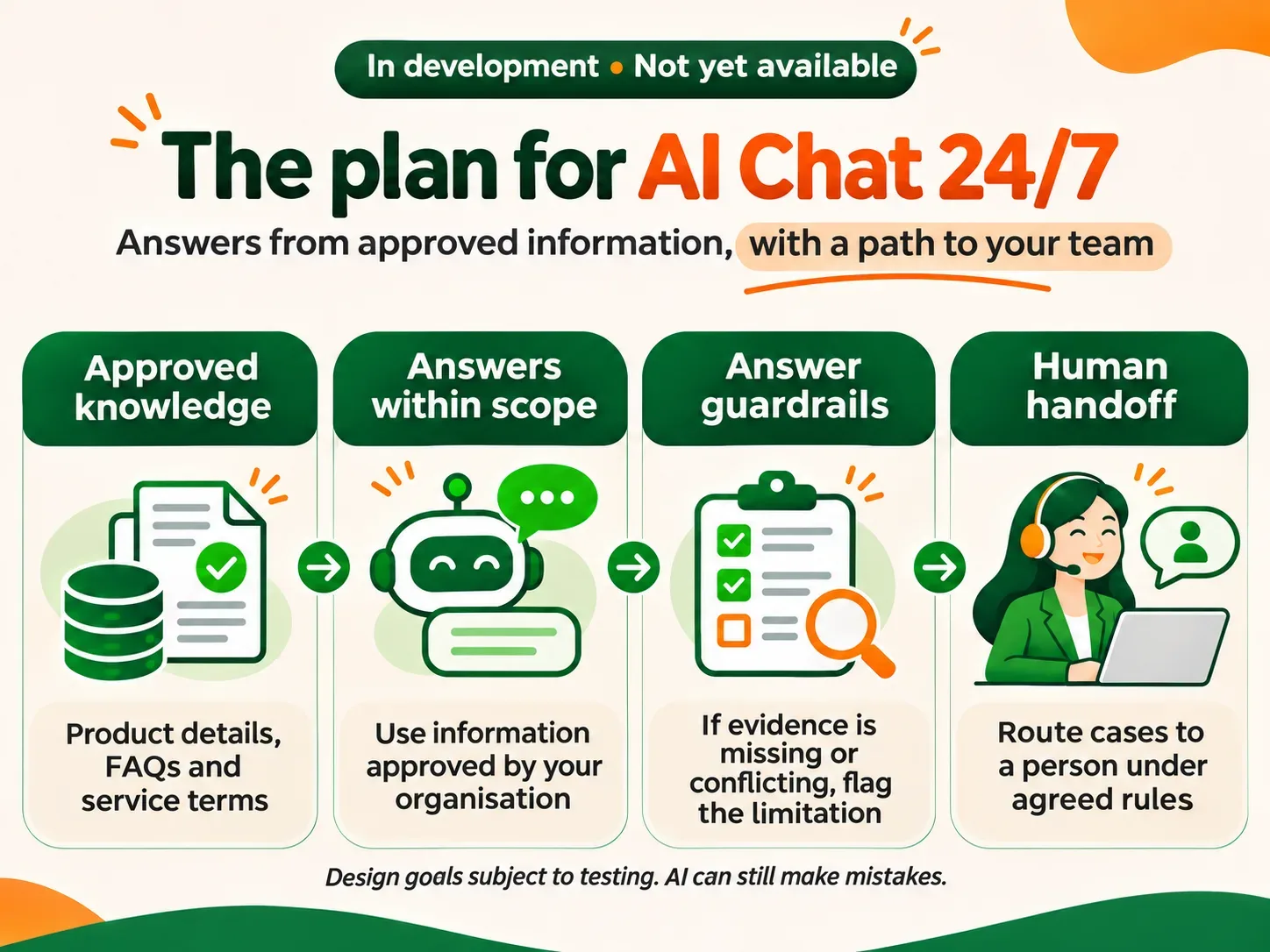
We plan to build an AI Agent on BY U that uses information your organisation selects and approves, such as product details, FAQs, application steps and service terms. AI Answer Guardrails will define what it may answer and when it should hand over.
For each question, the proposed workflow searches the approved knowledge base first. If there is enough relevant information and the question is within scope, it generates a response from that information. If sources are missing, conflicting or require a review of an individual case, the design calls for explaining the limitation and routing the case to the team, rather than filling the gap with an unsupported answer.
These are development requirements, not a guarantee that AI will never make a mistake. Testing must cover both answerable and unanswerable questions, with ongoing quality review after release.
03 / Planned capabilities
Help with replies and prepare the team to take over
- 01
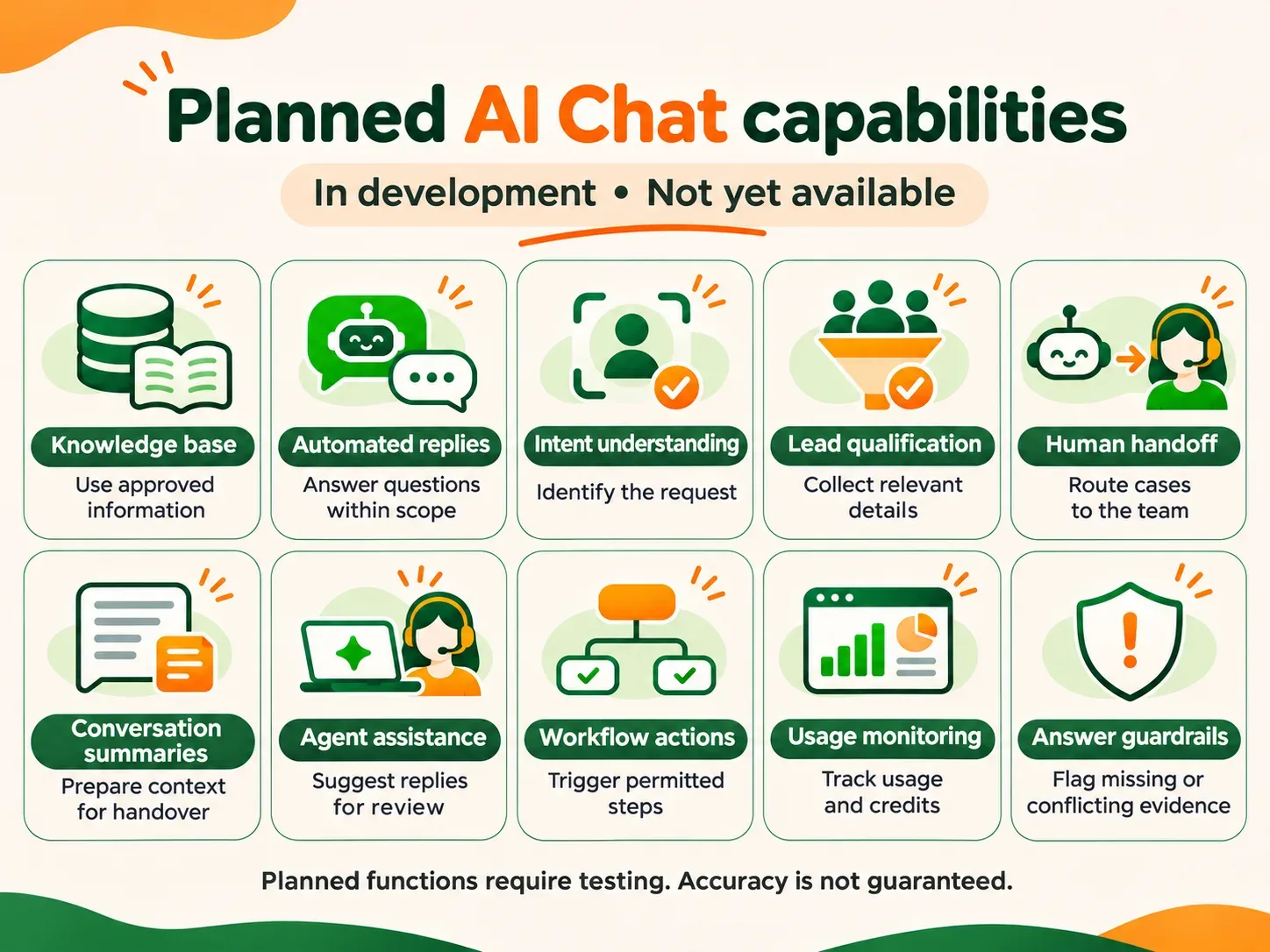
Knowledge base
Use approved product information, service details, FAQs and documents as reference sources.
- 02
Automated replies
Generate responses to questions within the defined scope.
- 03
Intent understanding
Identify requests such as a price enquiry, an appointment request or a request to speak to someone.
- 04
Lead qualification
Ask for relevant details so the sales team can understand the customer’s interest.
- 05
Human handoff
Route cases to the team when they are outside scope or the customer asks for a person.
- 06
Conversation summaries
Prepare the main points for a team member to review before replying.
- 07
Agent assistance
Suggest replies from the knowledge base for staff to consider.
- 08
Workflow actions
Trigger supported, permitted steps within the agreed project scope.
- 09
Usage monitoring
Track AI usage and credits.
- 10
Answer guardrails
Define approved sources, flag insufficient or conflicting information and route cases that need review.
All of these capabilities are planned and require testing before release. What becomes available may vary with product readiness and project scope.
04 / From a question to an answer or handoff
The proposed workflow
- 01
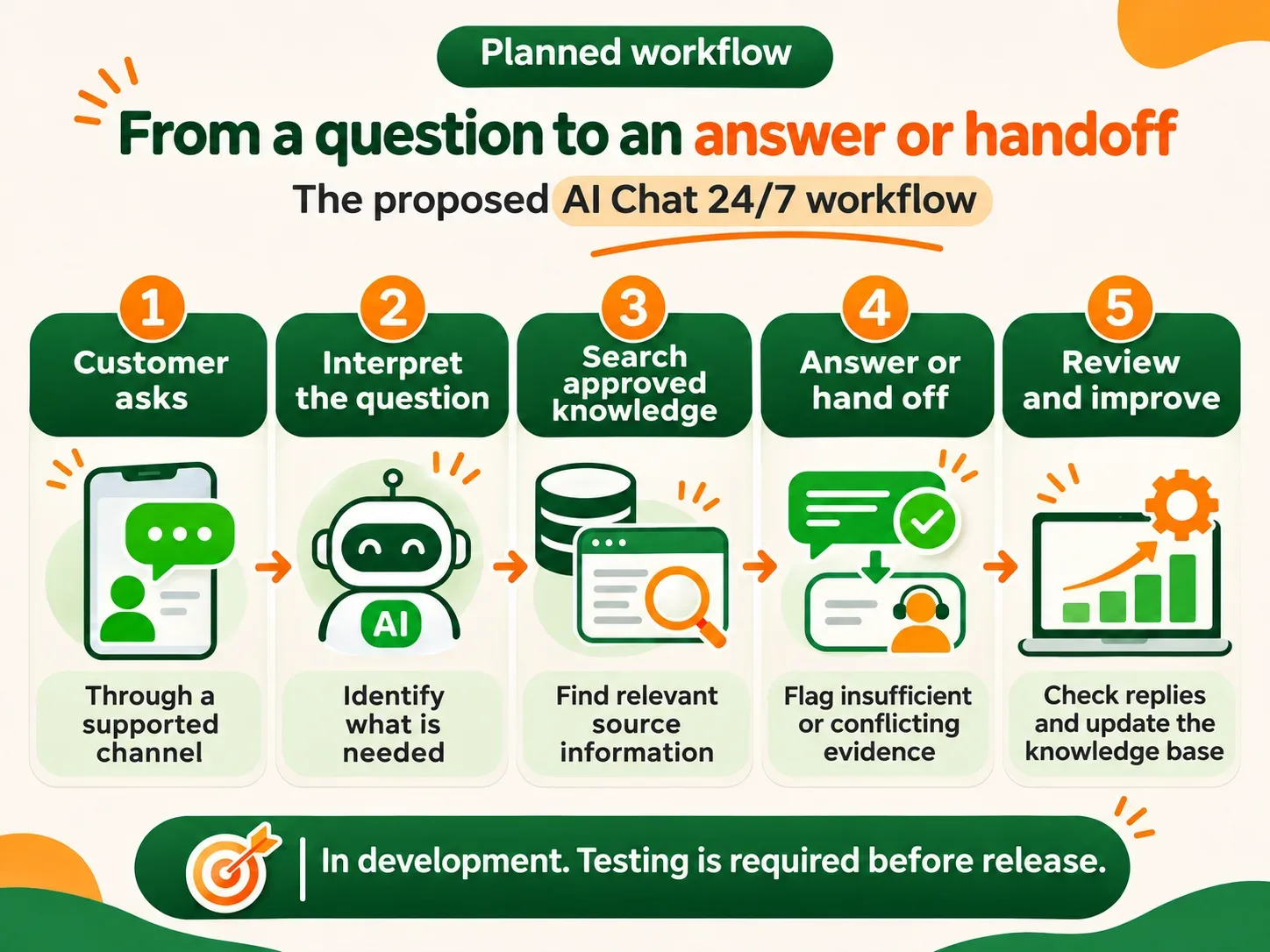
Receive the question
The customer sends a message through a connected channel that supports AI.
- 02
Interpret the request
Identify what the customer wants to know or needs help with.
- 03
Search approved knowledge
Find relevant information in the sources your organisation has approved.
- 04
Answer or hand off
Respond when there is sufficient supporting information. Otherwise, explain the limitation and route the case under the agreed rules.
- 05
Review and improve
The team checks replies, updates outdated information and adjusts the rules when problems appear. Handoff arrangements must tell customers the team’s service hours and how their request will be handled.
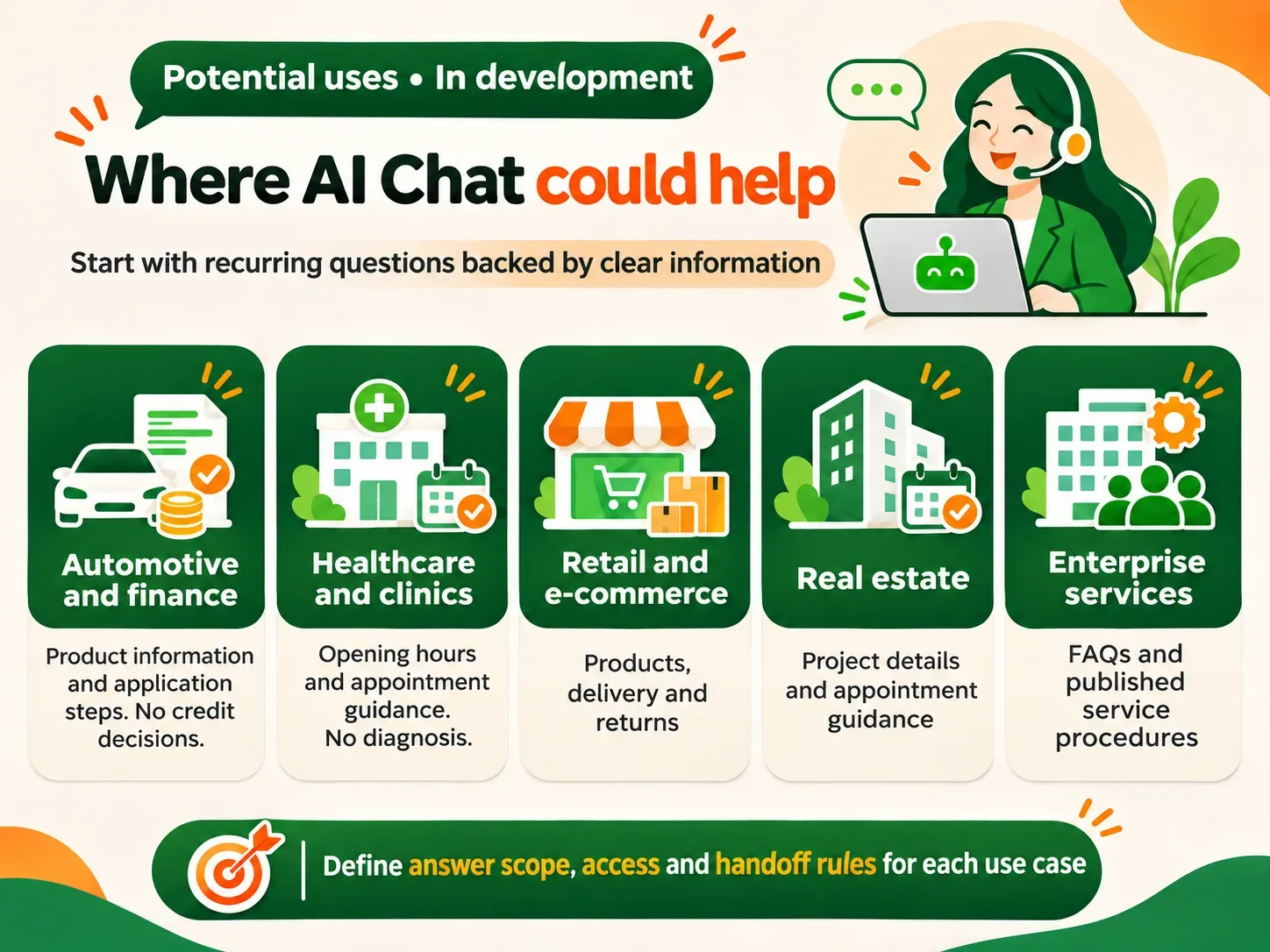
05 / Potential uses
Start with recurring questions whose answers can be checked
- 01
Automotive and finance
Explain product information, required documents and initial steps, without making credit approval decisions.
- 02
Healthcare and clinics
Provide opening hours, branch details, service information and appointment guidance, without using AI to diagnose conditions.
- 03
Retail and e-commerce
Answer questions about products, delivery, returns and promotions using information that is still current.
- 04
Real estate
Share project details, unit types, facilities and appointment procedures.
- 05
Enterprise services
Answer FAQs, share contact details and explain published service procedures.
Each business needs defined sources, access permissions and handoff rules suited to the work. These examples are planning options, not functions that are already available.
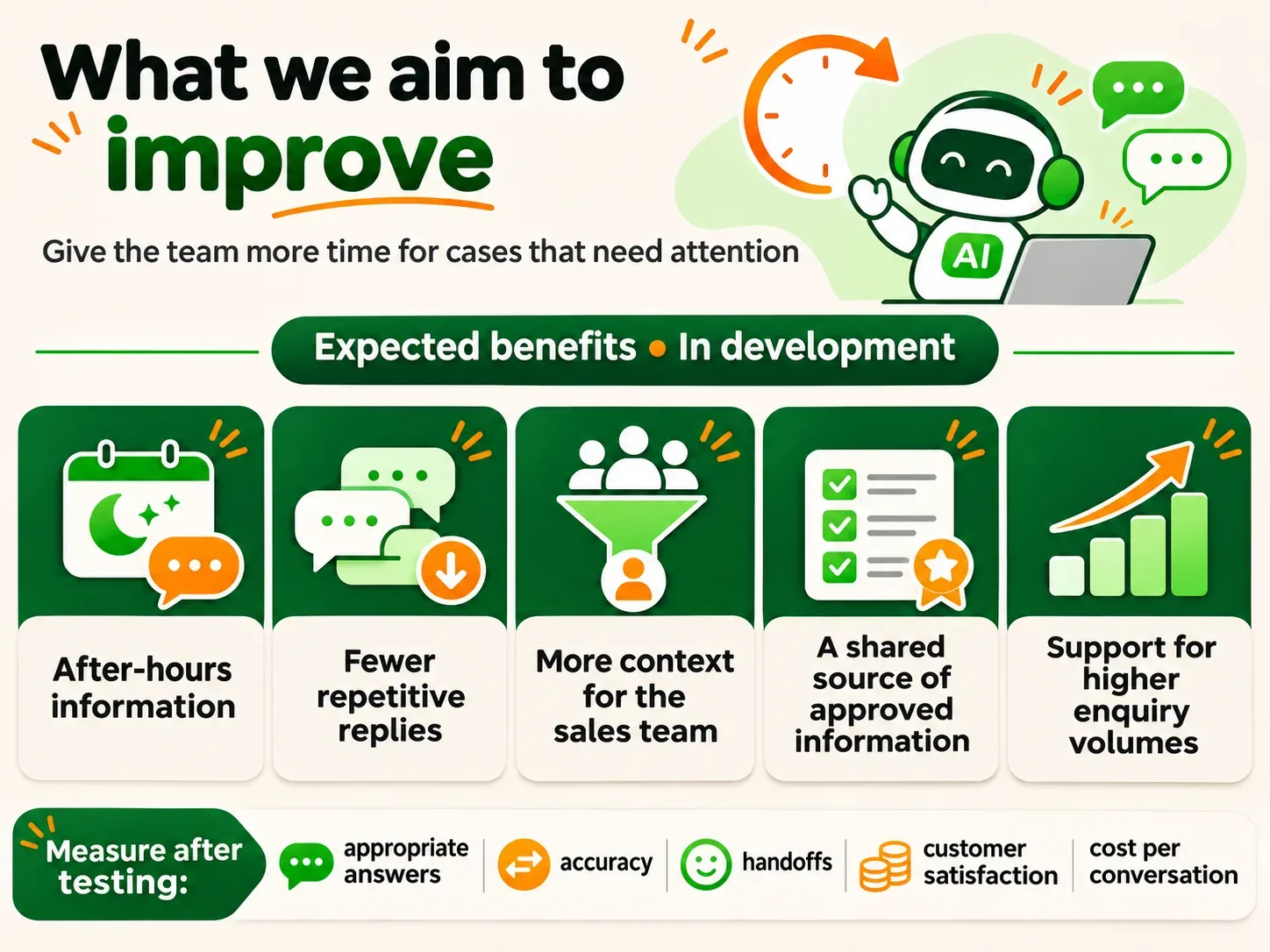
06 / What we aim to improve
More time for cases that need a person
- 01
After-hours information
Help with basic questions within scope, while cases requiring staff follow the agreed service hours and intake process.
- 02
Fewer repetitive replies
Give the team more time to read the details and handle complex cases.
- 03
Context before handoff
Collect initial requirements so the sales team knows what to discuss next.
- 04
A shared source of information
Let staff and AI refer to approved material, with review of replies that lack supporting evidence.
- 05
Support for more enquiries
Assist the team within the capabilities and limits of the service released.
These expected benefits need to be measured through testing and actual use. Track appropriate answers, accuracy, handoff rates, customer satisfaction and cost per conversation.
07 / Building on BY U
Connect question handling with conversations and customer records
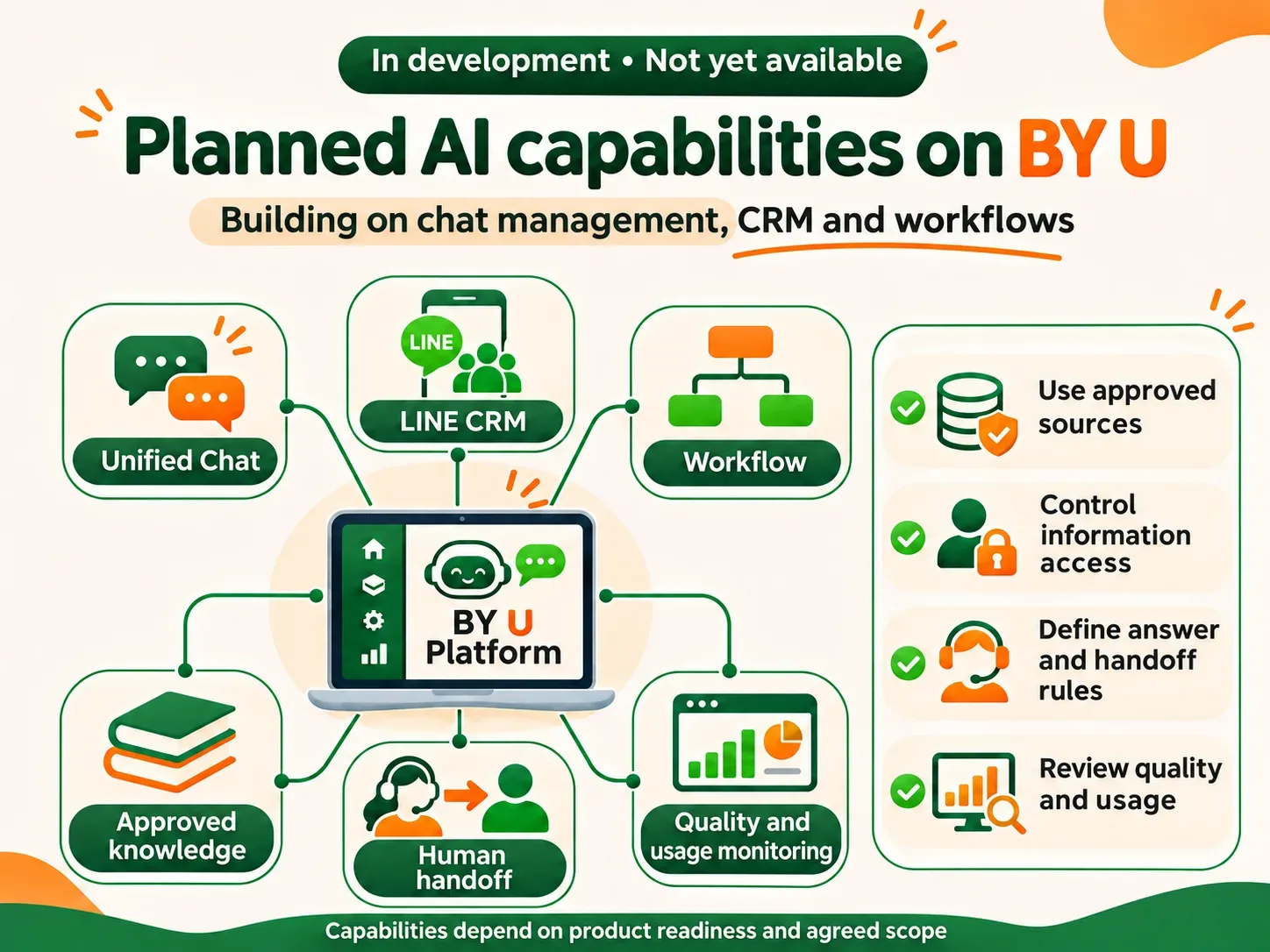
BY U is a hosted SaaS platform for omnichannel CRM and business automation, with tools for managing chats, teams, customer information and workflows. We plan to develop AI Chat 24/7 as an additional capability that works with these tools.
- 01
Reference information
Define the knowledge sources, who approves them and who keeps them current.
- 02
Access permissions
Set which information the system and its users may access, and use personal data only as authorised.
- 03
Answer and handoff rules
Specify what AI may answer, how it should flag missing information and who takes responsibility for transferred cases.
- 04
Quality and cost monitoring
Review replies, usage volumes and credits consumed.
The AI capabilities are still in development. Service details depend on product readiness and the agreed scope.
08 / Rule-based and AI chatbots
Choose the approach that fits the questions and the process
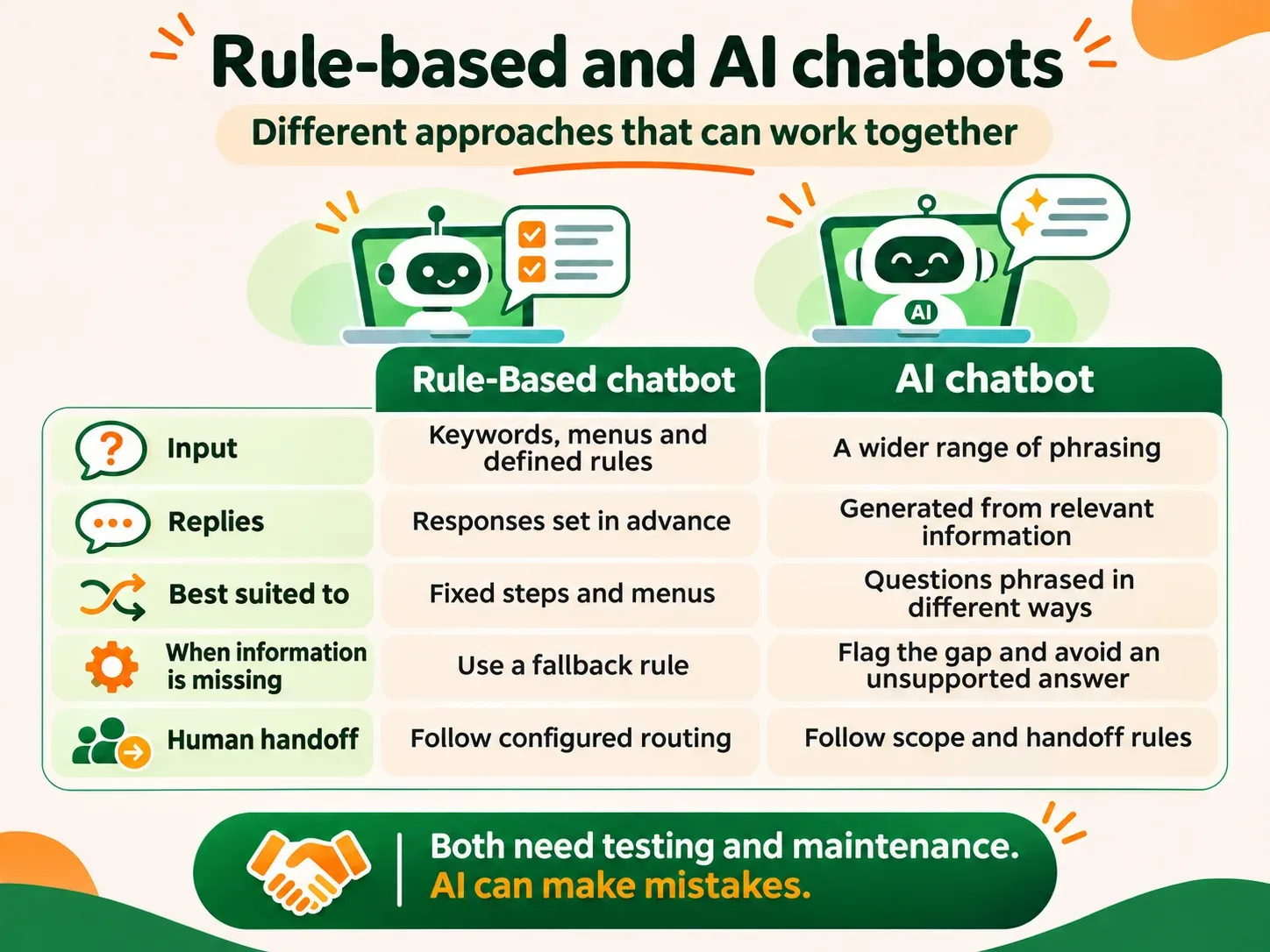
A rule-based chatbot follows predefined keywords, menus or conditions. It suits processes with fixed steps. An AI chatbot can help interpret differently worded questions and generate replies from relevant information within a defined scope.
For example, a customer asks, “Are you open on Sundays?” A rule-based chatbot needs a keyword or condition that covers the request. AI may recognise it as a question about opening hours. But if the knowledge base has no Sunday hours, it should not conclude that the business is open or closed. The intended behaviour is to explain that the answer cannot be confirmed and ask the team to check.
The two approaches can work together: menus for fixed steps and AI assistance for general questions. Both need testing and up-to-date information.
09 / Frequently asked questions
What to know before planning an AI Chat project
What is an AI chatbot for business?
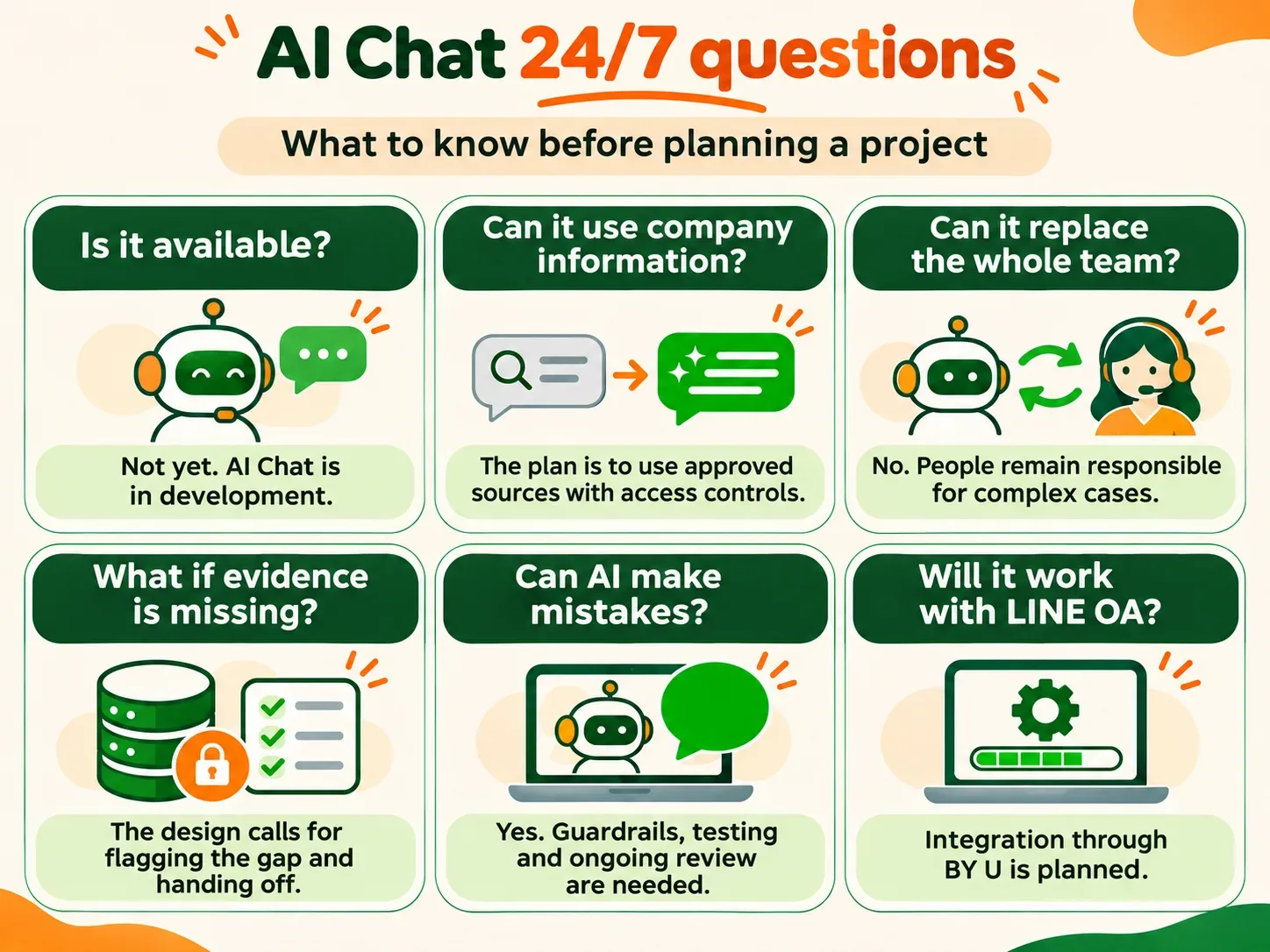
A system that uses AI to help interpret messages and answer questions within a defined scope. For AI Chat 24/7, we plan to use a knowledge base approved by the organisation.
How does it differ from a keyword chatbot?
AI can work with a wider range of phrasing. A keyword chatbot follows configured words or conditions. The choice depends on the task.
Can it replace the whole team?
It should not. Complex matters, important decisions and questions requiring an individual review still need staff attention.
Can it answer using company information?
The plan is to use an approved knowledge base, with access permissions and data-use limits defined first.
Will it connect to LINE OA?
BY U already supports LINE OA. Making the AI Agent work with it is part of the development plan.
What happens when information is insufficient?
Our design calls for explaining the limitation and handing over to staff instead of adding unsupported information. This behaviour must be tested before release. Staff follow-up depends on the agreed service hours.
Can AI still give a wrong answer?
Yes. Even with a knowledge base and answer rules, testing must cover missing or conflicting information, followed by ongoing quality review.
What costs are involved?
Potential costs include development and setup, platform fees, AI credits and support. Details need to be assessed against the scope and expected usage.
Is it available now?
Not yet. The AI Agent for knowledge-based replies and human handoff is still in development. Release timing depends on product readiness.
10 / Plan AI around your customer service
Start with the chat tools and information your team uses
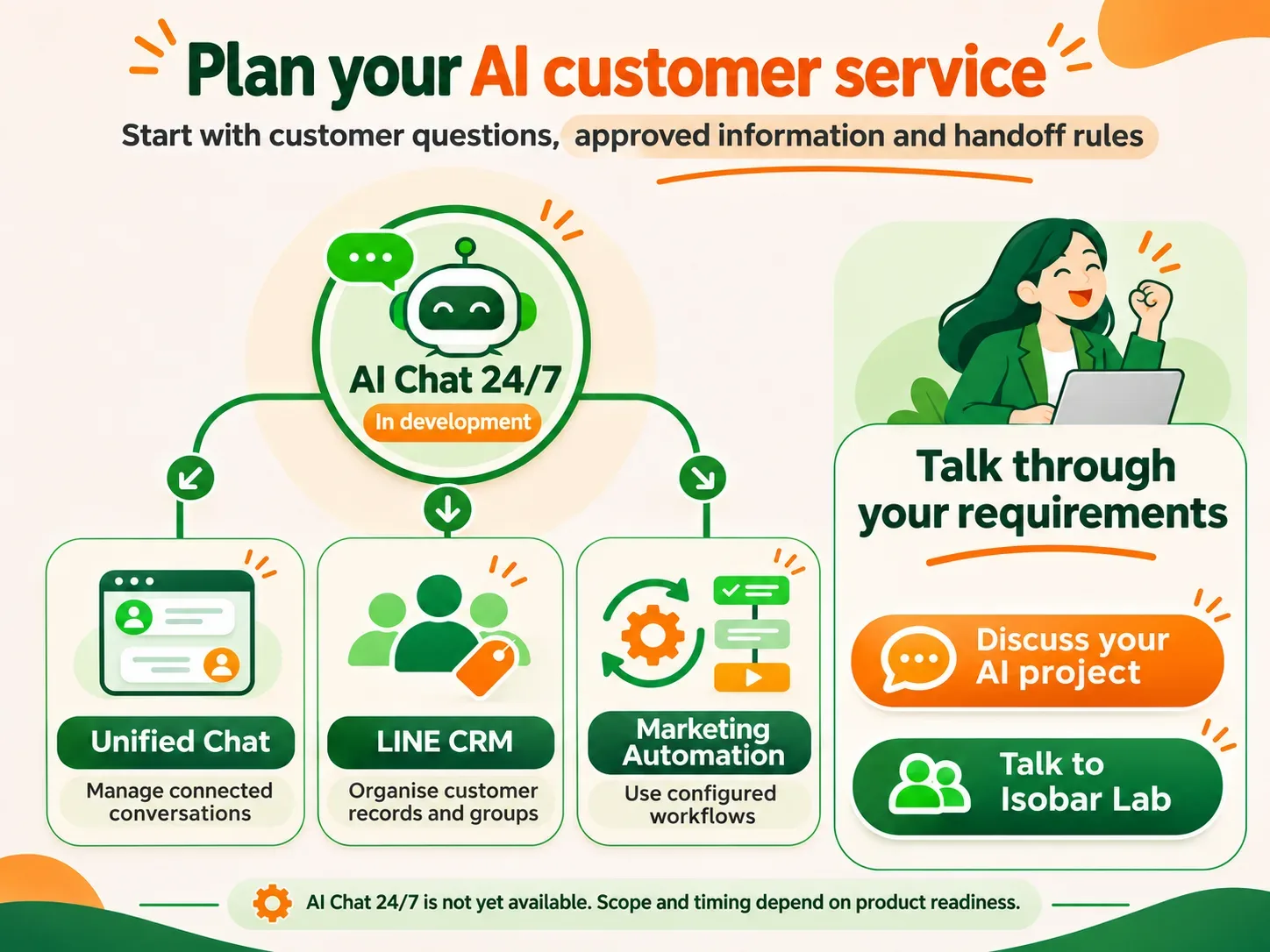
- 01
Unified Chat
Manage conversations from connected channels in one system.
- 02
LINE CRM
Store customer details, apply tags and build segments using authorised information.
- 03
Marketing Automation
Set workflows using conditions the system supports.
AI Chat 24/7 is still in development. Discussions at this stage focus on requirements and project planning.